
Modern businesses can’t rely on outdated tools; your systems need to evolve as quickly as your customers’ expectations. For organizations that rely on Odoo as their core business management solution, staying competitive means staying updated. That’s where Odoo migration services come in.
Upgrading to the latest version isn’t simply a technical refresh. It’s a strategic investment that affects performance, security, productivity, and long-term scalability. With the release of Odoo 19, businesses benefit from a smoother interface, smarter automation, enhanced security, and advanced features. Delaying migration can quietly accumulate performance bottlenecks, outdated workflows, and security risks that impact your entire business ecosystem.
And with Odoo’s announcement that an additional 25% fee will apply from April 2026 for customers running versions older than three releases (i.e., Odoo V16 or earlier), planning ahead is not just smart, it helps you avoid unnecessary long-term costs.
This blog explores why migration matters, how it impacts operations, and the real-world benefits of moving from older versions to a modern, optimized Odoo environment.
What Is Odoo Migration and Why It Matters Today
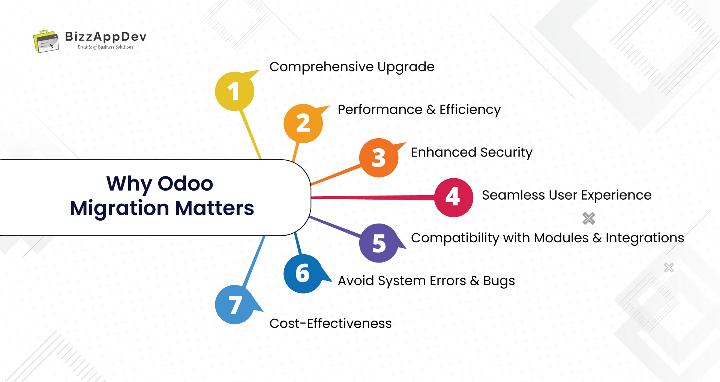
Many business owners think migration is just about updating software. In reality, Odoo migration is much more, it ensures your entire system operates smoothly in the modern environment. Key points to understand:
- Comprehensive Upgrade: Migration involves updating databases, user interfaces, custom modules, workflows, and dependencies.
- Performance & Efficiency: Outdated Odoo versions slow down operations, causing delays and inefficiencies.
- Enhanced Security: New versions provide stronger data protection and reduce the risk of vulnerabilities.
- Seamless User Experience: Modern versions improve navigation, accessibility, and workflow automation.
- Compatibility with Modules & Integrations: Ensures all apps, extensions, and third-party integrations work correctly with the latest system.
- Avoid System Errors & Bugs: Migration prevents slow loading, system crashes, and recurring technical issues.
- Cost-Effectiveness: The cost of running an outdated system often outweighs the investment in migration.
For organizations on very old versions (pre-Odoo 12), intermediate upgrades (e.g., 11 → 13 → 19) may be required to maintain compatibility and prevent data inconsistencies.
Key Odoo Migration Benefits for Growing Businesses
If you manage critical operations on Odoo, sales, accounting, inventory, HR, or manufacturing the advantages of migration are significant.
Improved Performance with a Modern Odoo Version
Performance is one of the main reasons organizations migrate. A fast, responsive system improves productivity and reduces frustration. Key benefits include:
- Faster page loading and smoother navigation
- Enhanced backend processing for complex workflows
- Improved handling of large databases
- Efficient multi-user and multi-company operations
- Real-time dashboards and reporting
Many processes that previously took minutes now complete in seconds. Tasks like invoice generation, order processing, or report access become significantly faster.
Migration also supports better Odoo optimization. Performance bottlenecks often stem from outdated modules or old custom code. Modern versions include refined logic, optimized architecture, and improved server handling. These performance benefits of Odoo migration are especially useful for businesses managing large inventories, high order volumes, or complex manufacturing workflows.
Odoo 19 specifically improves ORM efficiency, web client rendering, caching mechanisms, and server performance, which ensures faster operations even for complex or multi-company setups.
Enhanced Security with Upgraded Odoo Versions
Security threats have increased rapidly, and older systems are not designed to handle modern attacks. Outdated Odoo versions are vulnerable to data leaks, breaches, and malicious exploits.
Migration provides:
- The latest security patches and bug fixes
- Stronger encryption standards and role-based access control
- Updated authentication and user access management
- Improved tracking for sensitive data
- PostgreSQL security improvements and GDPR compliance support
- More stable backend infrastructure
The security risks of old Odoo versions are often underestimated. Unsupported modules can break workflows or expose vulnerabilities. Upgrading helps businesses maintain regulatory compliance, particularly important for European audiences.
For companies handling financial information, customer records, or confidential files, an Odoo security upgrade is essential to maintain trust, data integrity, and compliance.
Access to New Features in the Latest Version
Each upgraded Odoo version brings new functionality and improved user experience. Odoo 19 introduces powerful updates across multiple modules:
- AI-powered automation for sales, inventory, and predictive stock management
- Predictive stock replenishment and demand forecasting
- Event-driven marketing automation
- Enhanced accounting reconciliation, reporting, and predictive financial reports
- Optimized website builder with multi-language support and faster performance
- Streamlined CRM, HR, and operational workflows
These Odoo version upgrade features allow businesses to work more efficiently, reduce dependency on third-party tools, and improve user adoption. Migration also presents an opportunity to reorganize workflows, introduce automation, and increase overall productivity.
Many organizations rely on a trusted Odoo migration service provider to ensure smooth implementation and integration of these new features.
Top Reasons to Upgrade Odoo Now
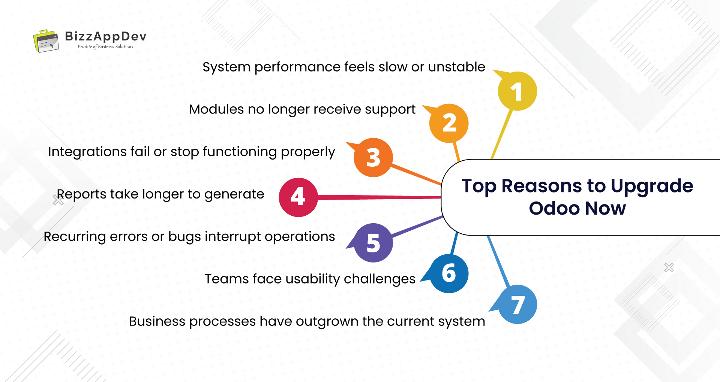
Signs that indicate an urgent need for migration include:
- System performance feels slow or unstable
- Modules no longer receive support
- Integrations fail or stop functioning properly
- Reports take longer to generate
- Recurring errors or bugs interrupt operations
- Teams face usability challenges
- Business processes have outgrown the current system
Keeping your system updated simplifies maintenance, makes future upgrades smoother, and keeps your business competitive. These are key reasons to upgrade Odoo, particularly for fast-growing organizations.
Many businesses combine migration with module implementations or workflow improvements. This is where Odoo implementation services can be valuable, helping organizations align their operations with the new version’s features.
Understanding the Odoo Migration Process
A successful migration requires careful planning and execution. The general process includes:
1. Pre-Migration Assessment
a. Analyze your system, custom modules, integrations, and workflows to identify requirements, risks, and areas for improvement.
2. Custom Code Review and Cleanup
a. Custom modules, Python customizations, inherited views, or Studio apps may need updates to match the new architecture. Reviewing, optimizing, or rewriting code is essential to ensure compatibility.
3. Database Migration and Testing
a. Data including products, orders, customer details, and financial records, must be accurately migrated.
b. Incorporates Odoo migration testing to validate all workflows and ensure data integrity before going live.
4. Functional Migration and Quality Checks
a. Test all modules, workflows, and reports thoroughly. Identify and fix issues before going live.
5. Deployment and Post-Migration Support
a. Provide training and support to ensure smooth adoption.
b. Include backup and rollback strategies to safeguard against unexpected issues.
Businesses often use this stage to introduce new features or optimize operations. Odoo customization services can align the upgraded system with evolving business needs.
Challenges in Odoo Migration (and How Experts Solve Them)
Common challenges include:
- Incompatibility of custom modules
- Third-party app integration failures
- Workflow adjustments and team training
- Legacy code causing functional issues
- Data inconsistencies after migration
Experienced professionals mitigate these risks with structured processes, thorough testing, sandbox validation, and staged deployment. Custom Python modules, inherited views, and Studio apps often require extra attention to ensure smooth functionality.
Choosing the Right Odoo Migration Partner
Key factors to consider:
- Proven experience across multiple Odoo upgrades
- Expertise in both functional and technical workflows
- Clean coding practices and rigorous testing
- Post-migration support
- Transparent communication and timelines
A reliable partner ensures your migration is smooth, adds long-term value, and minimizes operational disruption.
Final Thoughts: Is Odoo Migration Worth It?
Migration is more than a version upgrade, it’s a strategic move for better performance, tighter security, and smarter business operations. Updated systems enjoy greater stability, optimized workflows, and access to new features, while outdated versions risk slowdowns, security breaches, and reduced competitiveness.
A properly executed Odoo migration modernizes your business foundation, enabling growth, innovation, and efficiency.
Ready to migrate to a faster, secure, and optimized Odoo environment?
Our certified Odoo experts can help you upgrade with zero data loss and seamless workflow integration. Whether it’s a version upgrade, module enhancement, or full system transformation, we guide you every step of the way.
FAQs
When your system slows down, modules lose support, or new features are needed.
A few days to a few weeks, depending on database size, custom modules, and workflows.
Yes, it ensures better performance, security updates, and compatibility with new features.
Yes, but they may require updates to align with the new version’s architecture.
Improved performance, stronger security, smoother workflows, access to new features, and predictive reporting.
Use experts who follow a structured process with backups, sandbox testing, and validation.