Common Challenges in the Retail Industry
Inventory Discrepancies
Difficulty maintaining accurate stock information across multiple stores, warehouses and online channels.
Disconnected Sales Channels
Managing physical stores and eCommerce separately can lead to inconsistent product, pricing and order information.
Product and Seasonal Complexity
Handling product variants, changing collections, seasonal demand and fast-moving inventory.
Limited Business Visibility
Scattered sales, purchasing and inventory data makes it difficult to monitor performance and make timely decisions.
Odoo POS for Retail
Retail stores need an efficient checkout process to serve customers and record transactions accurately. Odoo Point of Sale (POS) supports product selection, billing, barcode scanning, discounts and payment recording.
When configured for the retail workflow, POS transactions can update inventory and related business records. Retailers can also connect customer information, loyalty programmes and promotional pricing with store transactions.
Odoo POS supports product variants, order history and different payment methods. Its offline functionality allows stores to continue creating and managing supported orders during temporary internet interruptions. Those orders are stored locally and synchronize with the backend when the connection is restored. Some backend-dependent features are unavailable while offline.
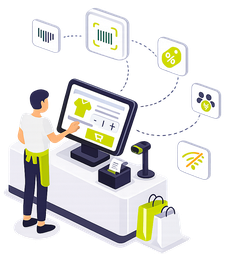
Odoo POS vs Retail POS
A standalone retail POS primarily handles checkout and store transactions. Odoo POS works within the wider Odoo ERP environment, allowing retailers to connect store sales with inventory, customers, purchasing and accounting.
The right POS setup depends on whether checkout is an isolated store function or part of a wider retail operating system. Here is how the two approaches differ:
Business area | Standalone retail POS | Odoo POS within Odoo ERP |
Stock | Inventory may be managed separately or through an integrated POS feature | Connects POS sales with Odoo Inventory and shared stock records |
Customers and loyalty | Customer records and loyalty features depend on the POS product | Can connect customer records and loyalty programmes across supported Odoo sales channels |
Accounting | May require exports or integration with accounting software | POS transactions can feed Odoo Accounting workflows |
Returns | Return and refund workflows depend on the POS and connected systems | Returns can be linked to original sales, with related stock and refund workflows |
Setup | Can be simpler for a single-store checkout requirement | Requires broader configuration but connects checkout with wider business operations |
A standalone POS can be enough for a single store with no online channel. The choice depends on whether the business needs checkout functionality alone or wants to connect POS with wider retail operations.
Inventory Across Stores and Warehouses
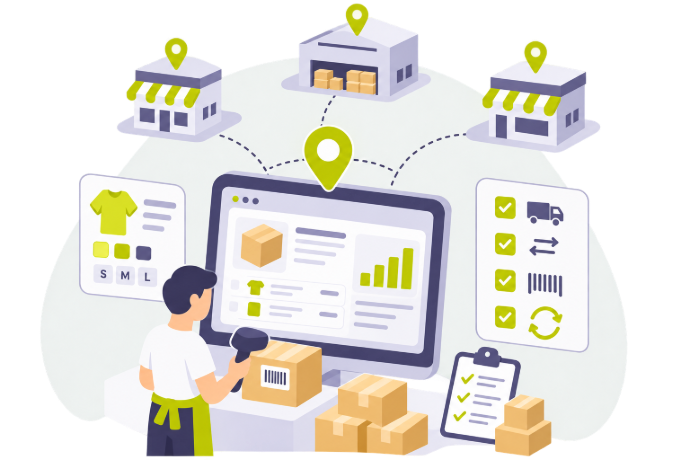
Maintaining accurate stock information is essential for retail businesses, particularly those operating multiple outlets or warehouses. Odoo Inventory helps retailers monitor products and stock movements across different locations.
Retailers can use it to:
- Monitor stock availability across stores and warehouses.
- Manage product variants such as sizes, colours and configurations.
- Record incoming goods, stock movements and internal transfers.
- Use barcode scanning for receiving and inventory operations.
- Configure minimum-stock rules, reordering rules and replenishment routes for different products and locations.
These tools help retailers plan replenishment, balance stock between locations and respond to changing demand. Depending on the configuration, Odoo can suggest or automatically initiate replenishment when forecasted stock reaches defined thresholds.
Odoo Omnichannel for Retail
Retailers selling through physical stores, websites and connected sales channels need consistent information about products, orders and inventory.
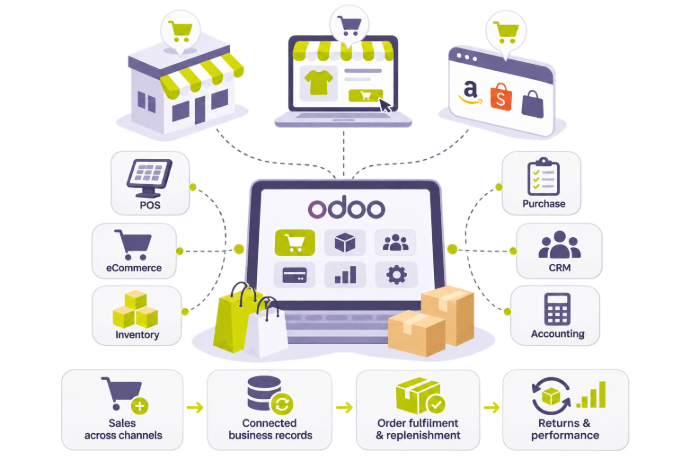
Odoo can connect POS, eCommerce, Inventory, Purchase, CRM and Accounting through a shared business system. External marketplaces and other sales platforms can also be connected through suitable integrations.
A typical omnichannel retail workflow may involve:
- Sales across channels: Customers purchase through a physical store, the Odoo website or a connected external sales channel.
- Connected business records: Transactions update the relevant orders, customer information, inventory and financial records according to the configured workflow.
- Order fulfilment and replenishment: Retail teams manage stock across stores and warehouses, fulfil orders and plan replenishment.
- Returns and performance: Returns and exchanges follow configured stock and refund workflows, while teams review performance by store and sales channel.
A centralized product catalogue and pricing setup can reduce duplicate maintenance across POS, Odoo eCommerce and connected sales channels.
External marketplaces, payment providers, shipping services and existing business systems may require separate connectors, APIs or custom integrations. The systems involved, available APIs and integration design determine what information can be synchronized and how frequently it is updated.
eCommerce and Marketplace Integration
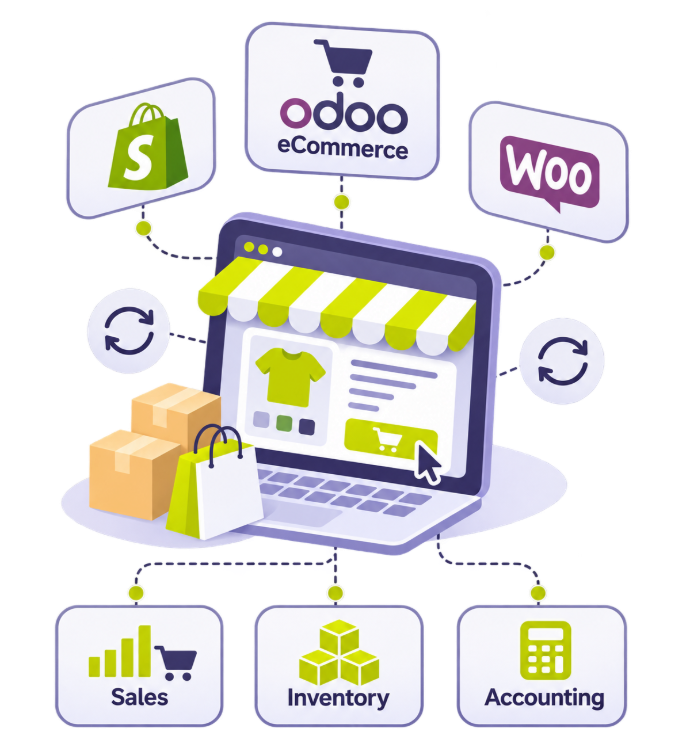
Retailers selling online need their storefront, orders and inventory to work alongside their wider business operations. Odoo eCommerce connects online sales with applications such as Sales, Inventory and Accounting.
Retailers can use it to:
- Manage online products, product variants and pricing.
- Handle website orders, checkout and delivery methods.
- Connect existing platforms such as Shopify or WooCommerce with Odoo.
- Synchronize relevant product, stock, order and customer information through integrations.
Businesses can use Odoo eCommerce as their online storefront or retain an existing platform and connect it with Odoo. The right approach depends on the current platform, product catalogue, order volume and fulfilment requirements. External marketplace and platform connections may require suitable connectors, APIs or custom development.
Customer Experience and Retail Promotions
Customer relationships play an important role in retail growth. Businesses need to understand purchasing patterns, maintain customer information and provide relevant offers.
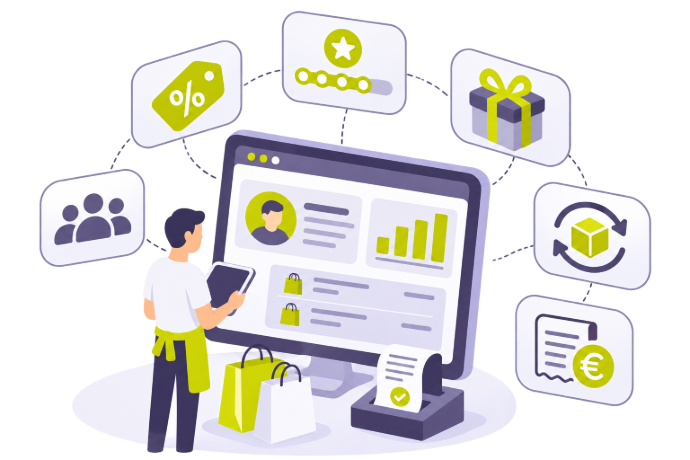
Odoo supports customer management through purchase history, customer records, promotional pricing, discounts and loyalty programmes. Retailers can use these capabilities to manage customer engagement and maintain more consistent offers across supported sales channels.
Returns and exchanges can be recorded through the relevant sales and inventory workflows, with refund and accounting updates handled according to the configured process and payment method.
Purchasing and Retail Business Performance
Retail inventory depends on reliable purchasing and supplier coordination. Odoo helps businesses manage supplier information, purchase orders, incoming goods and replenishment requirements.
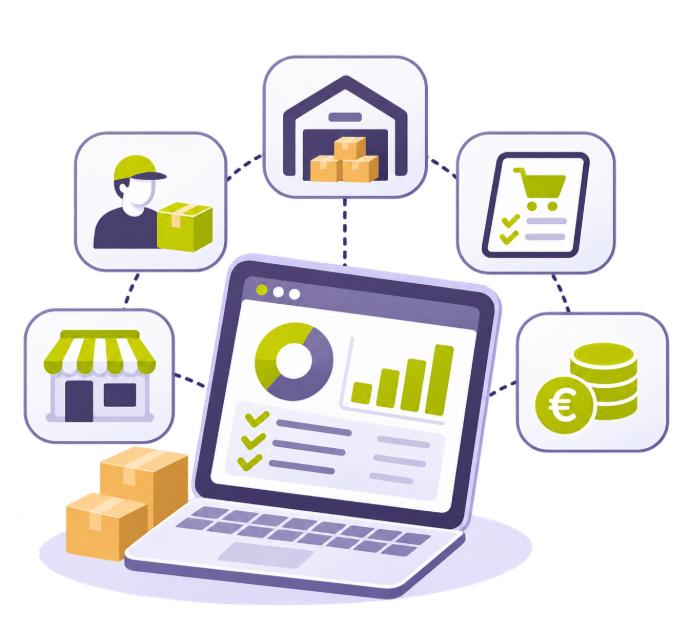
Odoo retail management connects purchasing, supplier coordination, inventory and financial information, helping retailers review stock movement and business performance.
Retailers can also use connected sales, inventory and accounting information to review:
- Store-wise and overall sales performance.
- Product sales and movement.
- Stock availability and inventory value.
- Purchasing and supplier activity.
- Revenue, expenses and financial reports.
These insights help retail teams understand business performance, identify operational gaps and make more informed decisions.
Odoo for Different Retail Business Models
Fashion and Apparel Retail
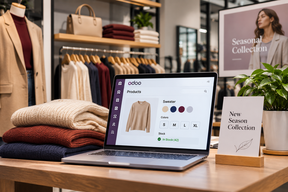
Manage product variants such as sizes and colours, seasonal collections, pricing and stock availability.
Grocery and Supermarkets
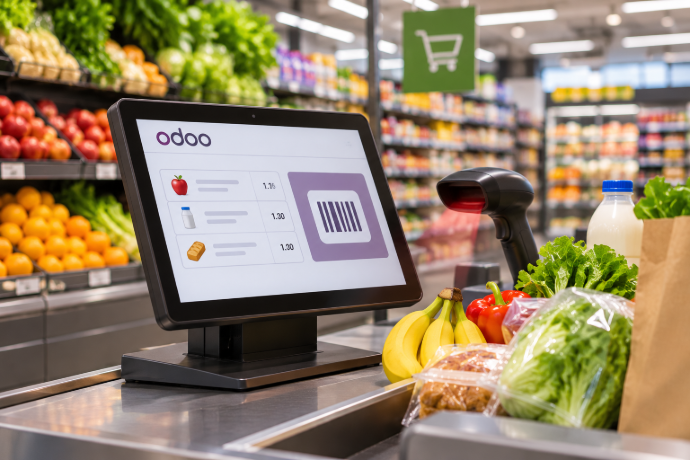
Support high-volume billing, barcode-based product handling, inventory monitoring and regular replenishment.
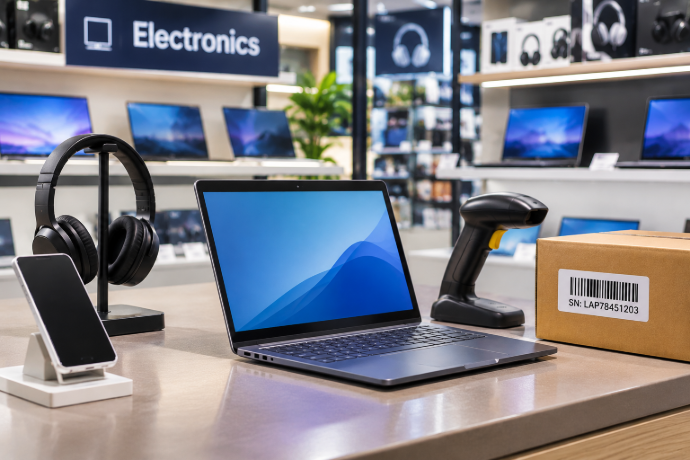
Electronics Retail
Manage product variations, stock movement and serial-number tracking where required.

Furniture and Home Goods Retail
Organize product combinations, dimensions, variants, stock availability, purchasing and delivery-related operations.
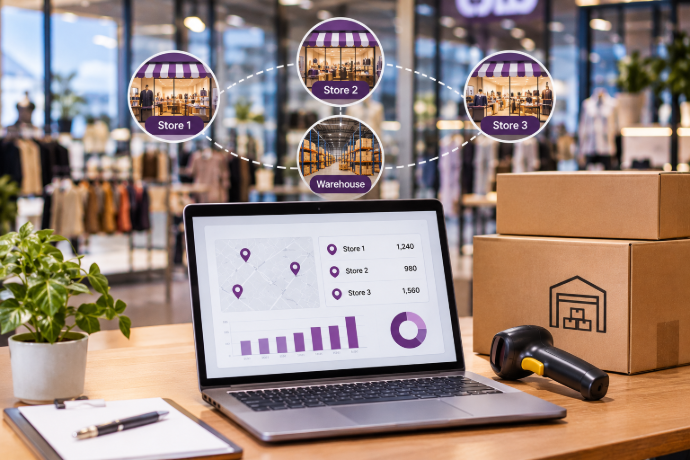
Multi-Store Retail Chains
Coordinate inventory, purchasing, sales and reporting across multiple outlets and warehouses.
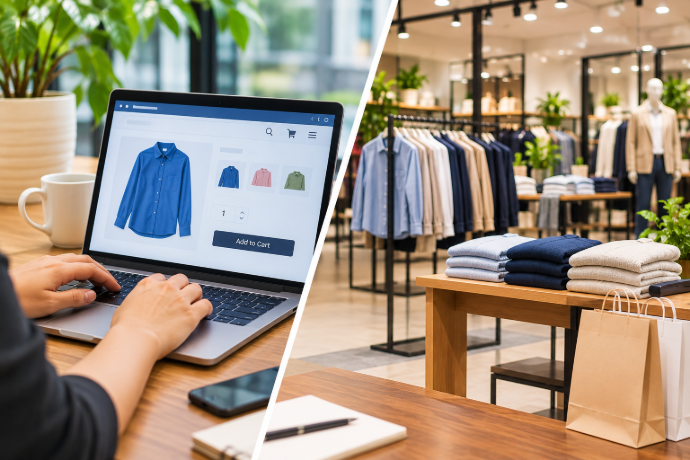
Online and Offline Retailers
Connect eCommerce and physical store operations to maintain more consistent product, order and inventory information.
Odoo ERP for Retail Chains and Multi-Store Retailers
Retail chains need to coordinate operations across outlets while maintaining visibility at both store and business levels.
Depending on their requirements, Odoo can support:
- Central product catalogues and pricing structures.
- Store-level stock visibility and internal transfers.
- Purchasing across stores and warehouses.
- User permissions for store and operational teams.
- Sales and inventory reporting by location.
- Consolidated business reporting.
For larger retail chains, implementation can be planned in phases. A pilot store can help validate product data, pricing, POS workflows, stock transfers, returns and reporting before extending the system to additional locations.
AI-Assisted Retail Operations
AI assistants can make Odoo information easier to access by allowing users to ask questions in natural language instead of navigating multiple screens. Depending on the integration, an assistant can retrieve relevant business information or support approved actions while respecting configured user permissions and workflows.
BizzAppDev develops AI integrations for Odoo to connect AI capabilities with business data and processes. In the retail case study above, BizzAppDev and the client explored natural-language interaction to make ERP information more accessible to store and warehouse teams.
Retail ERP Case Study: Connecting Retail Operations with Odoo
A growing retail company approached BizzAppDev as its operations expanded beyond what its disconnected systems could manage.
The business had grown from a single storefront to more than 20 physical stores, an eCommerce presence and multiple regional warehouses. However, separate POS, inventory, accounting and spreadsheet-based processes made it difficult to maintain accurate stock records and access timely business information.
With Odoo ERP, the company connected its sales, inventory, purchasing, accounting and eCommerce operations.
Results reported for this client after implementation included:
- Inventory accuracy exceeding 98%.
- Inventory carrying costs reduced by approximately 20%.
- Order fulfilment speed improved by 30%.
- Manual data entry reduced by about 25%.
- Month-end closing time reduced from 12 days to 3 days.
These figures represent results reported in this particular client engagement. Actual outcomes depend on business requirements, implementation scope and operational conditions.
Experience the Power of Odoo ERP for Your Retail Business. Contact Us Today!
What Affects the Cost and Timeline of an Odoo Retail Implementation
The cost and timeline of an Odoo retail project depend on scope more than on the number of applications. The main factors include:
- Number of stores, POS registers and users.
- Products, variants and barcodes to load and maintain.
- POS hardware such as printers, scanners and payment terminals.
- Online channels, marketplaces and other integrations.
- Quality of existing product, price and stock data.
- Training requirements and how the rollout is phased.
Odoo subscription and hosting costs are separate from implementation services and depend on the selected plan and deployment arrangement.
For businesses evaluating an Odoo Retail ERP project, a fit-gap review helps identify which requirements can be handled through standard Odoo functionality, where configuration is needed and where integrations or custom development may be required.
A review at the start of an Odoo implementation helps turn these requirements into a scoped estimate, so the proposal reflects your stores, systems and sales channels rather than a generic package.
Why Choose BizzAppDev for Retail ERP?
Retail businesses need systems that reflect how their stores, inventory, sales channels and teams actually operate.
Since 2012, BizzAppDev has delivered 500+ projects across 20+ industries, helping businesses implement, customize and integrate Odoo around their operational requirements.
Our approach to retail ERP projects includes:
- Retail requirements assessment: Understanding store operations, sales channels, products, suppliers, POS hardware, promotions, returns and reporting needs.
- Odoo configuration and customization: Aligning POS, inventory, purchasing, CRM and accounting workflows with business requirements.
- System and integration planning: Identifying where standard Odoo functionality, configuration, connectors or custom development are appropriate for eCommerce, marketplaces, payments and other systems.
- Data migration and rollout planning: Preparing product, customer, pricing and opening-stock migration, along with a suitable rollout approach.
- Training and ongoing support: Helping retail teams use the system and supporting business operations after go-live.
For multi-store businesses, we can plan a phased rollout that validates key workflows before extending the system across additional locations.
Our goal is to align the Odoo setup with the retailer's business model, existing systems and operational priorities. We also provide Odoo support after go-live to help businesses maintain and support their implementation.
Plan Your Odoo Retail ERP Implementation
Every retail business has its own way of managing stores, products, customers and sales channels. The right ERP setup should reflect those requirements while supporting future growth.
Share your store count, sales channels, existing systems and operational priorities with BizzAppDev. Our team can help assess your retail requirements and identify an Odoo implementation approach suited to your business.
FAQs
Yes. Odoo offers a modular platform that can support different retail business sizes and operating models. Applications and configurations can be selected according to the business's requirements.
Yes. Odoo can manage multiple warehouses and stock locations within a connected inventory system. Retailers can monitor stock, record internal transfers and review inventory across locations.
Odoo POS supports offline operation for certain activities. Products and other essential data loaded for the POS session remain available, and supported orders created offline synchronize when connectivity returns. However, some functions are unavailable offline, including real-time stock synchronization and the use of connected payment terminals.
Odoo can manage inventory across multiple locations and connect with its own eCommerce application. External eCommerce and marketplace synchronization depends on the available connector, API or custom integration. The scope and frequency of synchronization depend on the integration design.
Odoo supports pricelists, discounts, promotional pricing and loyalty features. Retailers can configure pricing and promotional rules according to their business requirements and supported sales channels.
Odoo can connect with external platforms and business systems through available connectors, APIs or custom integrations. The approach depends on the systems involved, their technical capabilities and the required data exchange.
Yes. Data migration can include products, product variants, customers, suppliers, price lists, opening stock and selected historical records. The migration scope depends on the existing system, data quality and business requirements.