
Retail today no longer operates in clean online and offline silos. Customers expect to browse online, pick up in-store, return items without friction, and receive refunds quickly. For many growing retailers, these expectations create pressure behind the scenes inventory mismatches, unclear store responsibilities, and manual fixes that slow teams down.
This is where Odoo for retail business operations become relevant. Not as a promise of instant simplicity, but as a structured ERP system that connects sales, stores, warehouses, purchasing, and returns into one operational flow. This article explains how Odoo actually handles click-and-collect and returns in real retail environments, and what decision-makers should understand before relying on it.
Why Do Click-and-Collect and Returns Matter in Modern Retail?
Click-and-collect is no longer a competitive differentiator, it’s a baseline expectation. Customers want flexibility, speed, and consistency regardless of how or where they shop.
From an operational standpoint, this creates real challenges:
- Online orders must reflect accurate store-level inventory
- Store teams need clear picking and preparation tasks
- Returns must update inventory and accounting correctly
- Purchasing teams must respond to real demand changes
Without a unified ERP, retailers often rely on disconnected systems or manual workarounds. Over time, this leads to overselling, delayed pickups, and inconsistent return handling that customers quickly notice.
How Does Odoo Support Omnichannel Retail Operations?
Odoo operates as a single platform where eCommerce, point of sale, inventory, purchasing, and accounting all share the same data. Instead of syncing multiple tools, teams work from one source of truth.
When a sales order is confirmed, inventory updates immediately. When a return is validated, both stock and financial records follow predefined rules. This shared data model is what makes Odoo suitable for omnichannel retail not because it removes complexity, but because it manages it in a controlled and traceable way.
How Does Click-and-Collect Work in Odoo for Retail Business?
Click-and-collect in Odoo depends heavily on when an order is confirmed. Understanding this timing is critical for avoiding stock discrepancies.
How do customers place click-and-collect orders?
Customers place orders through the website and choose a pickup location during checkout. Odoo can display product availability by location, helping customers select a store that is most likely to fulfill the order.
When does Odoo reserve inventory for click-and-collect?
Inventory is reserved only after the sales order is confirmed, typically when online payment is completed or when a staff member validates the order for pickup. Inventory is not reserved simply when an item is placed in the cart or when a pickup location is selected.
Example:
A customer adds an item to their cart and selects store pickup. Until payment is completed, that item remains available for other customers. Once payment is confirmed, Odoo reserves the stock and triggers fulfillment tasks.
This approach prevents phantom reservations and ensures stock is blocked only for confirmed orders.
How are orders prepared for pickup?
Once the order is confirmed, Odoo generates the required picking or internal transfer tasks for the selected location. Store teams can see exactly what needs to be prepared and when – without relying on emails or spreadsheets.
What happens at pickup?
After the customer collects the order, staff confirm the pickup in the system. This final validation ensures sales, inventory, and accounting records remain aligned.
This structured workflow is one reason many retailers rely on Odoo for retail business environments where accuracy and accountability matter.
How Are Retail Returns Handled in Odoo?
Returns are often where retail systems break down, especially when online purchases are returned in-store. Odoo treats returns as part of the original sales lifecycle rather than isolated POS actions.
How are returns initiated in Odoo?
Returns must reference the original sales order or delivery record. Even when a customer returns an item in a physical store, the return is initiated against the original transaction to maintain traceability.
How are returns processed in-store?
Store staff typically:
- Access the original sales order or delivery
- Initiate the return from that record
- Validate the stock movement
The POS interface can facilitate the interaction, but the return itself is always tied to an existing sale.
Why does this approach matter?
By linking every return to its original transaction, Odoo ensures:
- Accurate inventory levels
- Clear financial traceability
- Consistent reporting across channels
This avoids the discrepancies that often occur when returns are handled independently at POS level.
How Do Refunds and Accounting Work in Odoo?
Refund handling in Odoo is efficient, but it is configuration-dependent, not automatic by default.
Refunds can be automated, but this requires:
- A payment provider that supports refund operations
- Proper accounting configuration, including refund journals
- Correct linkage of tax and revenue accounts
Without these elements in place, refund entries may still require manual review or adjustment. Retail teams should always test refund scenarios with their specific payment gateway before going live.
How Does Purchasing and Inventory Replenishment Work Behind the Scenes?
Click-and-collect and returns directly influence purchasing decisions. When these processes are disconnected, replenishment often happens too late – or without enough context.
Odoo does not guess when to restock. It relies on defined rules.
How does inventory replenishment work in practice?
Odoo generates purchase orders automatically only when replenishment rules, routes, and vendor lead times are properly configured. Without defined rules, purchasing actions remain manual.
Retailers typically configure:
- Routes (for example, buy from vendor or pull from another store)
- Replenishment rules with minimum and maximum stock levels
- Preferred vendors and lead times
This ensures purchase orders reflect real demand rather than assumptions.
How Does Inventory Sync Across Channels in Odoo?
Inventory updates in real time across online and physical channels when locations and routes are correctly configured within Odoo’s Inventory management settings.
Without this configuration, stock movements may still occur, but visibility and timing can become inconsistent leading to confusion for store teams and purchasing managers.
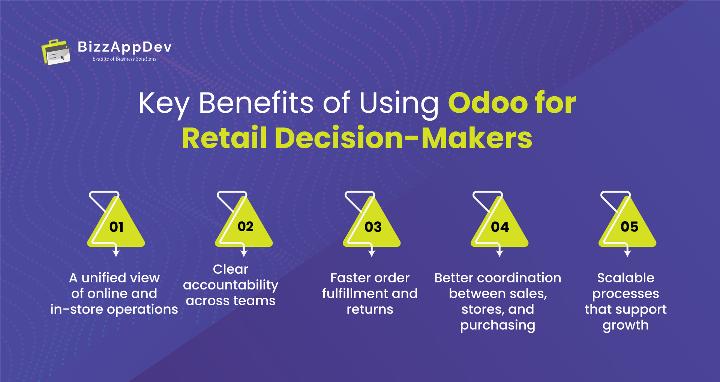
Key Benefits of Using Odoo for Retail Decision-Makers
For ERP evaluations, outcomes matter more than feature lists.
Retail leaders typically gain:
- A unified view of online and in-store operations
- Clear accountability across teams
- Faster order fulfillment and returns
- Better coordination between sales, stores, and purchasing
- Scalable processes that support growth
Because everything runs in one system, reporting becomes more reliable and decisions are based on current, accurate data.
Common Challenges and Best Practices When Using Odoo in Retail
Odoo is flexible, but flexibility requires discipline.
Common mistakes retailers make
- Assuming click-and-collect works fully out of the box
- Treating returns as standalone POS actions
- Skipping inventory routes and replenishment setup
- Over-customizing before understanding standard workflows
Best practices that lead to success
- Map real operational workflows before configuration
- Align eCommerce, POS, and inventory rules early
- Train store teams on daily operational steps
- Start with standard flows, then refine
For more complex environments, experienced Odoo implementation services can help ensure workflows match real-world operations.
Is Odoo the Right Fit for Your Retail Business?
Odoo works best for retailers that:
- Operate across multiple stores or sales channels
- Need real-time stock visibility
- Want structured purchasing and approval workflows
- Plan to scale without operational fragmentation
Businesses with unique fulfillment or return policies may need adjustments. In such cases, Odoo customization services allow flexibility without compromising system stability.
In Summary
Odoo supports click-and-collect and returns effectively when sales order confirmation, inventory rules, and purchasing workflows are properly configured. Its strength lies in traceability, consistency, and unified data across channels, making it a practical ERP choice for growing retail businesses.
Final Thoughts
Click-and-collect and returns are no longer edge cases in retail. They sit at the center of the customer experience and directly affect inventory accuracy, staff efficiency, and purchasing decisions.
Odoo provides a structured way to manage these workflows without forcing retailers into rigid processes. The real value comes from understanding how the system actually behaves and configuring it to match daily operations.
When implemented thoughtfully, Odoo supports retail growth while keeping complexity under control.
Want to see how Odoo can really support click-and-collect and returns in your retail operations?
Start by reviewing where stock mismatches and return delays actually occur in your current setup.
FAQs
Inventory is reserved only when the sales order is confirmed, usually after payment or staff validation.
Yes. Returns are processed by referencing the original sales order or delivery, even when completed in a physical store.
Refunds can be automated but depend on payment provider and accounting configuration.
Only when replenishment rules, routes, and vendor data are configured. Otherwise, purchasing remains manual.
Sales, POS, purchasing, accounting, and Inventory management work together to support omnichannel retail workflows.