
In today’s hyper-connected world, customers expect faster, smoother, and more personalized communication. Yet, many businesses still juggle multiple tools, one for calls, another for CRM, and a third for support tickets. This fragmentation slows teams down and leads to missed opportunities.
Enter Odoo VoIP, the built-in softphone interface that bridges the gap between communication, sales, and customer support. In the latest version of Odoo, the VoIP module has become even more intuitive, offering seamless integration with CRM and Helpdesk. Teams can now manage calls, track conversations, and assist customers without ever leaving the platform.
If your business depends on quick communication and real-time insights, Odoo VoIP isn’t just another feature, it’s your new communication game-changer.
Why Communication Silos Are Holding Businesses Back
Switching between tools for calls, CRM updates, and support tickets drains time and focus.
Sales teams often log into their CRM, open a separate dialer to call leads, and then manually note down outcomes. Meanwhile, support agents answer customer calls elsewhere, then create tickets afterward wasting precious minutes.
This disconnects results in:
- Missed customer context
- Slower response times
- Lost opportunities and poor visibility
- Higher agent fatigue
Many Odoo users initially rely on third-party softphones. Integrating the built-in VoIP widget brings everything into one place, reducing friction and creating a truly unified workspace.
Introducing Odoo VoIP - A Built-in Telephony Solution That Works Where You Work
Odoo VoIP isn’t a standalone phone system, it’s a VoIP client integrated directly within Odoo. It connects to your SIP or VoIP provider (such as Axivox, OnSIP, or Asterisk) to manage calls, transfers, and call history without leaving your CRM or Helpdesk.
With Odoo 19, the VoIP module connects more smoothly across apps. Every call, ticket, and note is synchronized, so teams never lose track of customer conversations.
Key Features That Make Odoo VoIP Stand Out
- Click-to-call from any record: Instantly place calls from leads, opportunities, or tickets.
- Automatic call logging: Every inbound or outbound call is recorded in the chatter and linked to the contact.
- Real-time caller insights: Know who’s calling, view history, and access opportunities before answering.
- Call transfer and queue management: Forward calls or manage busy lines efficiently. (Queue functionality depends on your SIP provider, as Odoo does not manage queues natively.)
- Integrated softphone widget: Make and receive calls from your browser, no external dialer needed.
Advanced features like call recording and live transcription depend on your provider’s capabilities and configuration.
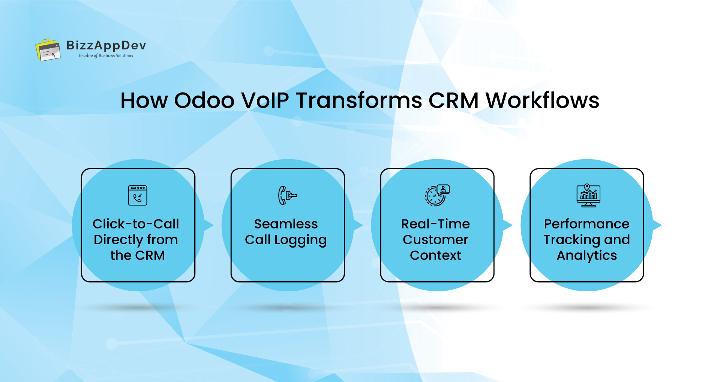
How Odoo VoIP Transforms CRM Workflows
For sales teams, every second counts. Odoo VoIP ensures your team can connect with prospects at the right moment, with complete context at hand.
Click-to-Call Directly from the CRM
No more copy-pasting phone numbers. Click-to-call lets you dial leads in one tap, saving time and maintaining focus on the conversation.
Seamless Call Logging
Calls are automatically logged in the chatter, with details like duration, contact, and outcome. Reps never have to worry about forgetting updates again.
Real-Time Customer Context
When a lead calls, you instantly see their sales history, open quotes, or pending deals. That level of insight helps you respond faster and close smarter.
Performance Tracking and Analytics
Managers can view call logs, duration, and team activity from the CRM. With a bit of configuration, you can even combine call data with sales metrics for deeper insights.
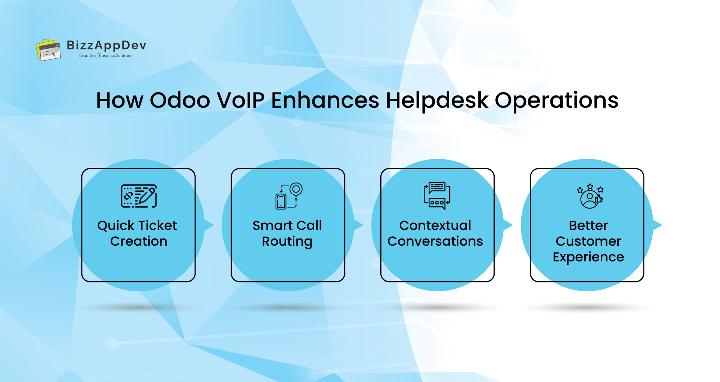
How Odoo VoIP Enhances Helpdesk Operations
Support teams rely on responsiveness and accuracy. Odoo VoIP bridges Helpdesk and communication so agents can resolve issues faster.
Quick Ticket Creation
When a customer calls, agents can instantly create or update tickets right from the call interface. (Fully automatic ticket creation may require extra automation rules or customization.)
Smart Call Routing
Transfer calls or manage queues without leaving Odoo. (Queue control depends on your SIP provider rather than Odoo itself.)
Contextual Conversations
Agents see all past issues, resolutions, and related products during live calls, helping them assist customers efficiently and empathetically.
Better Customer Experience
Faster responses and personalized service lead to higher satisfaction and long-term loyalty.
The Business Benefits of a Unified Communication Hub
By integrating VoIP with CRM and Helpdesk, you eliminate silos and create a single source of truth.
Top benefits include:
- Improved productivity: Less app switching, more efficiency.
- Better collaboration: Sales and support share full communication visibility.
- Enhanced customer relationships: Every call becomes a meaningful data point.
- Lower telephony costs: VoIP is more affordable than traditional lines.
- Remote flexibility: Works seamlessly in any browser or supported device. (Actual call quality depends on your browser, device, and VoIP provider.)
Your actual savings and performance gains depend on your VoIP provider and setup, but most Odoo users report improved team communication within weeks.
How to Implement Odoo VoIP Successfully
Implementation is simple but should be structured:
- Install the VoIP module from the Odoo Apps menu.
- Connect your provider – Odoo supports Axivox, OnSIP, Asterisk, and other SIP-based providers.
- Configure user extensions and credentials.
- Enable CRM and Helpdesk integration for click-to-call and call logging.
- Train your team on using the VoIP widget effectively.
- Monitor and optimize through dashboards and reports.
Confirm that your SIP provider supports the VoIP features you need. Some options (like call recording or transcription) may require extra setup.
For a seamless rollout, consider working with a certified partner for professional Odoo implementation support.
Real-World Example: Unified Workflow in Action
A retail company using Odoo CRM for sales and Odoo Helpdesk for support struggled with missed calls and duplicate notes. After integrating Odoo VoIP:
- Sales reps now call leads directly from CRM records.
- Support agents instantly access customer history when answering calls.
- Managers view both teams’ call metrics in one dashboard.
The result: faster responses, fewer missed follow-ups, and happier customers. (Actual outcomes may vary depending on call routing and VoIP provider setup.)
Why Adopt the Latest Odoo Version for VoIP Integration
The newest release of Odoo introduces smoother VoIP performance, faster call handling, and a cleaner interface. It also supports modern features like call transfer, recording, and transcription when paired with compatible providers.
These enhancements make VoIP a central part of how teams communicate, not an afterthought.
Unlock the Full Potential of Odoo
With expert Odoo customization, you can tailor VoIP workflows, for example, automatically routing VIP calls to senior agents or linking missed calls to CRM tasks.
Through proper Odoo integration, your telephony system can connect with marketing tools, ERP, or analytics dashboards, creating a seamless, data-driven ecosystem for your entire organization.
Conclusion: One Platform, Endless Possibilities
Odoo VoIP isn’t just about making calls, it’s about connecting people, data, and purpose. By uniting your communication, sales, and support under one roof, you empower teams to work smarter and serve customers better.
Whether you’re a growing startup or an established enterprise, integrating VoIP into your Odoo environment can transform how your business communicates.
So, are you ready to turn your CRM and Helpdesk into a unified communication powerhouse?
Request a personalized Odoo VoIP demo and discover how a single platform can streamline every customer interaction, from lead generation to issue resolution.
FAQs
It’s an integrated VoIP client that lets users make, receive, and manage calls directly within Odoo using SIP or compatible VoIP providers.
Absolutely, Odoo VoIP connects to both, centralizing your communication history.
Odoo supports Axivox, Asterisk, OnSIP, and other SIP-based providers.
Agents can quickly create or update tickets during calls. (Full automation may require additional workflow rules.)
Yes. if your VoIP provider supports it and it’s configured correctly.
Yes. You can use it via your browser on supported mobile devices, though call quality depends on your connection, device, and browser.
The newest Odoo release introduces improved VoIP integration, smoother call handling, and better CRM/Helpdesk synchronization.