
Procurement is one of those business functions that quietly holds everything together, until inefficiencies start to show. Missing purchase approvals, miscommunication with suppliers, inaccurate stock levels, and reactive buying can cause delays, overspending, and strained vendor relationships. As organizations grow and supply chains become more complex, managing procurement manually becomes difficult and time-consuming.
This is where the Odoo purchase module helps businesses bring structure and automation to the entire purchasing cycle. Companies across different regions are switching from scattered spreadsheets and disconnected tools to centralized procurement workflows that offer better accuracy, transparency, and coordination between teams. With the latest Odoo version, the purchase module has become more streamlined, better integrated, and more adaptable for businesses managing diverse suppliers and rising purchase volumes.
In this blog, we break down how the Odoo purchase module improves procurement workflows, what businesses can realistically expect out of the box, and which areas may require configuration or customization to match more complex procurement environments.
Overview of Odoo Purchase Module in the Latest Odoo Version
The Odoo purchase module is designed to simplify and systemize procurement operations. It helps purchasing teams manage supplier communication, price lists, purchase orders, receipts, and vendor bills from a single workflow.
Key strengths of the purchase module include:
- Automated RFQs and PO creation
- Multi-vendor price lists
- Vendor performance insights
- PO lifecycle tracking
- Purchase agreements (blanket orders, tenders)
- Smart re-ordering rules
The module connects seamlessly with inventory, accounting, and sales, ensuring that procurement is always aligned with stock requirements and financial operations. Additionally, the purchase module uses Odoo’s activity scheduling and messaging system to improve vendor communication, making follow-ups, reminders, and clarifications much easier to manage.
While the module is powerful out of the box, businesses needing very specific purchasing flows formal internal requisition forms, multi-level complex approvals, or industry-specific compliance may require extra configuration or additional apps. This is common in procurement-intensive industries.
Why Procurement Teams Need Workflow Automation Today
Procurement teams are under more pressure than ever. They must keep stock levels healthy, negotiate with suppliers, manage cost fluctuations, and maintain compliance all while ensuring teams across departments receive what they need on time.
Manual procurement methods often bring challenges such as:
- Slow turnaround time
- Poor visibility across the supply chain
- Lack of accountability
- Inefficient communication
- Inaccurate order tracking
- Inconsistent vendor performance data
A digital procurement system helps eliminate these bottlenecks. By streamlining repetitive tasks and centralizing supplier and order data, Odoo enables purchasing teams to focus less on paperwork and more on strategic decisions such as vendor evaluation, negotiation, and cost optimization.
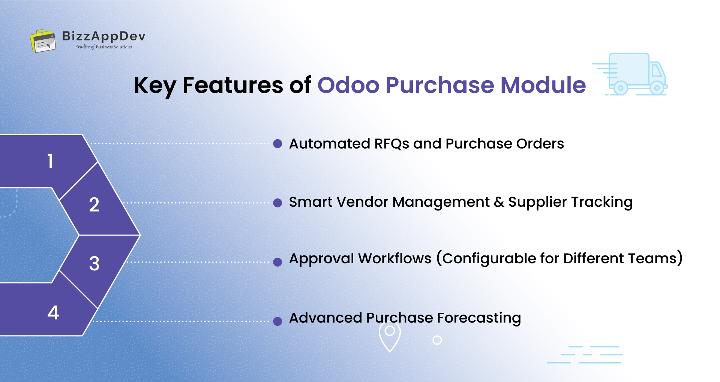
Key Features of Odoo Purchase Module That Enhance Procurement Workflows
Below are the core features that make the purchase module valuable for modern procurement teams.
Automated RFQs and Purchase Orders
The module automates the creation of RFQs, and purchase orders based on stock rules, forecasted demand, and operational requirements. This significantly reduces manual involvement and prevents stock shortages.
Capabilities include:
- Auto-triggering RFQs when stock falls below minimum levels
- Vendor comparison tools for selecting the best supplier
- Easy confirmation and conversion of RFQs to POs
- Tracking PO status throughout its lifecycle
This creates a smoother Odoo purchase order automation workflow and helps teams operate proactively rather than reactively.
Smart Vendor Management & Supplier Tracking
Managing vendor relationships becomes significantly easier with centralized supplier data. The module supports multiple vendors per product, vendor-specific pricing, lead times, and purchase terms.
You can track:
- Delivery performance
- Pricing reliability
- Quality variations
- Historical purchasing activity
This strengthens overall Odoo vendor management and helps companies evaluate suppliers based on consistent data rather than assumptions.
Approval Workflows (Configurable for Different Teams)
Odoo allows businesses to set up approval rules for purchase orders, ensuring that POs above certain values or involving key products require managerial authorization.
Odoo does not include a formal internal “purchase requisition” submission system by default for employees.
Many companies implement approval workflows via user access rights or add-ons based on their procurement needs.
Still, for many organizations, Odoo’s built-in approval system provides enough structure to maintain control and compliance.
Advanced Purchase Forecasting
One of the most useful additions in recent Odoo releases is enhanced forecasting. Instead of depending solely on reordering rules, businesses can now analyze forecasted demand to plan purchases more accurately.
Benefits include:
- Improved stock planning
- Reduced emergency purchasing
- More stable supplier relationships
- Better cash flow management
This strengthens overall purchase planning and procurement workflow automation.
Integration With Inventory and Accounting: A Unified Procurement System
Odoo stands out because of the seamless integration between the purchasing, stock, and accounting modules.
Purchase & Inventory Integration
When a purchase order is confirmed and goods are received, inventory updates happen automatically. The system ensures smooth collaboration between warehouse and procurement teams.
Key aspects of Odoo inventory and purchase integration include:
- Real-time stock updates
- Automated replenishment suggestions
- Traceability for received goods
- Clear visibility of pending deliveries
The receiving process now includes clearer status indicators, helping warehouse teams track partial, complete, and delayed deliveries more easily.
This eliminates manual data entry and improves stock accuracy.
Purchase & Accounting Workflow Integration
Once products are received, vendor bills can be recorded and matched against the purchase order and receipt.
Vendor bills are not automatically generated without validation.
Payments are never auto processed without approval Odoo preserves financial control.
Still, the integration ensures:
- Faster reconciliation
- Accurate cost tracking
- Clear financial visibility
- Smooth vendor billing processes
This creates a consistent Odoo purchase and accounting workflow integration.
Real Procurement Workflow Examples in Odoo
Here’s how the Odoo purchase module handles common procurement scenarios:
Scenario | How Odoo Handles It |
Low stock detected | System suggests RFQ via reordering rules or demand forecast |
Comparing supplier quotes | Vendor price list + RFQ comparison view |
PO approvals | Rules based on thresholds and product categories |
Receiving goods | Automatic stock update after receipt |
Vendor billing | Match vendor bill with PO & receipt for accuracy |
Multiple warehouses | Centralized procurement with warehouse routes |
These examples illustrate how the Odoo purchase module works across typical workflows in everyday operations.
Benefits of Using the Odoo Purchase Module for SMEs and Larger Organizations
Odoo’s purchase module supports businesses of various sizes, offering flexibility to match different procurement structures.
- Increased Operational Efficiency
Automation reduces repetitive tasks, shortens processing time, and minimizes back-and-forth communication. - Better Cost Management
Vendor comparisons, price list history, and accurate forecasting reduce unnecessary expenses. - Fewer Human Errors
Automated data flows reduce chances of duplicate orders, mismatched prices, or missing information. - Improved Supplier Relationships
Better communication and clear expectations help suppliers perform consistently. - Stronger Interdepartmental Coordination
Purchasing, accounting, warehouse, and sales teams can collaborate easily through shared data.
Businesses seeking end-to-end optimization can get even better results by pairing the module with expert-led Odoo implementation services tailored to unique procurement needs.
Step-by-Step Guide to Setting Up the Purchase Module
Here’s a practical beginner-friendly setup guide:
- Install the Purchase app from the Apps menu.
- Add vendors, price lists, and delivery lead times.
- Configure product purchase settings (vendor, quantity, UoM, lead time).
- Set up approval thresholds based on business authority levels.
- Enable reordering rules for automated RFQs.
- Train employees on managing RFQs, POs, and vendor bills.
- Start monitoring vendor performance using the Purchase dashboard.
If the business requires unique approval hierarchies or complex workflows, professional Odoo customization services can help personalize procurement processes.
Odoo Purchase Module vs Traditional Procurement Systems
Traditional procurement typically involves manual recording, paper-based approvals, and limited visibility, which slows down the purchasing cycle.
Odoo solves these issues through:
- Automated workflows
- Real-time inventory updates
- Integrated financial data
- Supplier performance metrics
- Centralized communication
- Full audit trails
This comparison highlights why many companies now prefer ERP solutions over traditional procurement systems.
Final Thoughts: The Future of Procurement Automation
Procurement is evolving rapidly, and organizations need tools that can adapt to modern supply chains. The Odoo purchase module provides a solid foundation for businesses wanting to automate purchasing, improve supplier relationships, and reduce operational costs.
The system also streamlines purchase order creation for product variants, reducing confusion when managing items with multiple configurations.
While advanced procurement environments may require additional configuration or customizations, the out-of-the-box features cover the needs of most companies looking to modernize their purchasing workflows.
By leveraging integrated tools for stock management, accounting, and vendor tracking, businesses gain complete visibility and control making procurement a strategic strength rather than a reactive challenge.
Request a Free Demo of Odoo Purchase Module Today
FAQs
What is the Odoo purchase module and how does it work?
It automates RFQs, purchase orders, vendor communication, and procurement tracking while integrating with inventory and accounting modules.
How does Odoo automate procurement?
It uses stock rules, vendor price lists, and approval workflows to generate RFQs and streamline PO processing.
Does Odoo help manage suppliers?
Yes. Odoo centralizes vendor data, performance metrics, and pricing history, improving supplier evaluation and collaboration
How does Odoo integrate purchase workflows with inventory?
Warehouse receipts automatically update stock levels, providing real-time visibility into item availability.
Is the purchase module suitable for high-volume procurement environments?
Yes. It supports automation, multi-vendor management, and structured approval workflows, making it ideal for growing organizations.